<?xml version="1.0" encoding="UTF-8"?>
<!--Generated by Squarespace Site Server v5.11.81 (http://www.squarespace.com/) on Tue, 29 May 2012 23:30:25 GMT--><feed xmlns="http://www.w3.org/2005/Atom" xmlns:dc="http://purl.org/dc/elements/1.1/"><title>Blog</title><subtitle>Blog</subtitle><id>http://www.playngive.com/blog/</id><link rel="alternate" type="application/xhtml+xml" href="http://www.playngive.com/blog/"/><link rel="self" type="application/atom+xml" href="http://www.playngive.com/blog/atom.xml"/><updated>2011-02-23T20:31:46Z</updated><generator uri="http://www.squarespace.com/" version="Squarespace Site Server v5.11.81 (http://www.squarespace.com/)">Squarespace</generator><entry><title>Cocos2D on Top of SIO2</title><category term="cocos2d"/><category term="iphone sdk"/><category term="objective-c"/><category term="sio2"/><id>http://www.playngive.com/blog/2010/5/11/cocos2d-on-top-of-sio2.html</id><link rel="alternate" type="text/html" href="http://www.playngive.com/blog/2010/5/11/cocos2d-on-top-of-sio2.html"/><author><name>playngive</name></author><published>2010-05-12T02:18:05Z</published><updated>2010-05-12T02:18:05Z</updated><content type="html" xml:lang="en-US"><![CDATA[<p>There are three parts to this solution. One is the changes required to cocos2d, the second is the changes to SIO2 and the third is the design pattern of communication and control between cocos2d and SIO2. I tried to keep the changes required to a minimum, and used a simple function callback control mechanism between cocos2d and SIO2.</p>

<h1>Cocos2d Patches</h1>

<p>Riq made namespace changes in rc0.99 which helps to integrate cocos2d, but unfortunately this hasn't yet included the Support/EAGLView.m class. Of course SIO2 has it's own EAGLview class, and I chose to keep SIO2 EAGLview class for the app. You then need to refactor cocos2d Director class to accept a new EAGLview. Instead, I made the following changes:</p>

<ol>
<li>Rename cocos2d Support/EAGLView class to ccEAGLView (optionally change the .h/.m file names too)</li>
<li>Patch Director.h to accept this new class:</li>
</ol>

<script src='http://pastie.org/822880.js'></script>

<ol>
<li>Patch Director.m to use the EAGLView class, plus make some edits to the following functions:</li>
</ol>

<script src='http://pastie.org/822882.js'></script>

<p>Update the initOpenGLViewWithView method to accept an SIO2 view, create an optional FPSLabel and return. You could create a new init method of course.</p>

<script src='http://pastie.org/822883.js'></script>

<p>Update the mainLoop method to <em>not</em> clear or swap the gl buffers, let SIO2 do that.</p>

<script src='http://pastie.org/822884.js'></script>

<p>Update the end method so that cocos2d doesn't detach the view because of course it was never attached.</p>

<p>Note: you may need to patch the convertCoordinats and winSize methods, but in my version of cocos2d they were already updated to use GL_VIEWPORT parameters and not the UIView; check the Google code svn for a patch.</p>

<h1>SIO2 Patches</h1>

<p>Because we're using the SIO2 EAGLView with cocos2d, we just use the normal SIO2 gl buffer creation process and simply initialize cococ2d. Then within SIO2, within the 2d gl projection, make a call to mainLoop.</p>

<p>First, the patch to SIO2 EAGLView.mm</p>

<script src='http://pastie.org/822885.js'></script>

<p>Within the EAGLview createFramebuffer method you simply add a call to attach cocos2d into the SIO2 view. Then you'll need to patch the touchesBegan/Ended methods to pass through touches to cocos2d:</p>

<script src='http://pastie.org/822887.js'></script>

<p>And you'll have to repeat this for touchesMoved, touchesEnded.</p>

<p>Note: I also added a cocos2d teardown function to EAGLview, but you could do that explicitly elsewhere.</p>

<p>Next, you'll need to update your SIO2 render functions to call cocos2d. For example, in the SIO2 tutorial template.mm files, you can create a function like this:</p>

<script src='http://pastie.org/822889.js'></script>

<p>This function does nothing more than call the gl matrix and model view, and sets up the SIO2 2D state.</p>

<p>With this function, you can then render your 3D scene with SIO2 as normal and then call this to render the 2D scene, blended, on top of it. You could change the render order if you choose.</p>

<h1>Cocos2D Controlling SIO2</h1>

<p>This is where it can get tricky: how do you control scene progression? What I chose to do was to have cocos2d control the SIO2 state from within the cocos2d scenes or layers. To do this, I just crated some callback helper functions to change the state. So, for example, when a user clicks on a cocos2d menu button, it triggers a new state within SIO2 causing, say, a new 3d model to load.</p>

<p>You can see some screen shots of the final work on a 3GS iPhone, here:
<br>
<a href="http://twitpic.com/12vtja" title="aimNgive lobby, with cocos2D GUI and SIO2 3D rendering on Twitpic"><img src="http://twitpic.com/show/thumb/12vtja.jpg" width="150" height="150" alt="aimNgive lobby, with cocos2D GUI and SIO2 3D rendering on Twitpic"></a>
<br>
<a href="http://twitpic.com/12vu8y" title="aimNgive, with cocos2d GUI and SIO2 for 3D rendering on Twitpic"><img src="http://twitpic.com/show/thumb/12vu8y.jpg" width="150" height="150" alt="aimNgive, with cocos2d GUI and SIO2 for 3D rendering on Twitpic"></a></p>

<p>--yarri</p>
]]></content></entry><entry><title>Twitter Integration with Cocos2D and Twitter-OAuth-iPhone</title><category term="cocos2d"/><category term="iphone sdk"/><category term="oauth"/><category term="sumo tap"/><category term="twitter"/><id>http://www.playngive.com/blog/2010/5/2/twitter-integration-with-cocos2d-and-twitter-oauth-iphone.html</id><link rel="alternate" type="text/html" href="http://www.playngive.com/blog/2010/5/2/twitter-integration-with-cocos2d-and-twitter-oauth-iphone.html"/><author><name>playngive</name></author><published>2010-05-03T04:48:25Z</published><updated>2010-05-03T04:48:25Z</updated><summary type="html" xml:lang="en-US"><![CDATA[If Facebook is the new email, then Twitter is the new... what? Text messaging? Micro-blogging? Or perhaps just simply a better way that either email or texting to keep your friends updated on your latest comings, goings and accomplishments.]]></summary></entry><entry><title>Ruby on Rails For iPhone</title><category term="ruby on rails"/><id>http://www.playngive.com/blog/2010/4/19/ruby-on-rails-for-iphone.html</id><link rel="alternate" type="text/html" href="http://www.playngive.com/blog/2010/4/19/ruby-on-rails-for-iphone.html"/><author><name>playngive</name></author><published>2010-04-20T04:06:22Z</published><updated>2010-04-20T04:06:22Z</updated><content type="html" xml:lang="en-US"><![CDATA[<p>Ruby on Rails has been supported within Xcode since version 2.1, making integrated iPhone app and Rails app co-development a breeze. I took complete advantage of this in our first game, flipNgive, to meet two requirements: fresh content and happy lawyers!</p>
<p>By partitioning the "charity" aspects of our games to the server, we could update information on the charities, add new charities, new contribution goals, etc. All without the need to update the code of the iPhone app. I do this by creating a series of records in Rails for each charity we're supporting, their title, basic information, website, funding goals, etc. We could theoretically support thousands of charities this way, allowing users to dynamically recommend charities and creating a "competition" for funding between the charities if we wanted to. We've instead chosen to manually select three initial charities and entered their information into the Rails database. The initial charities were LIVESTRONG, Planet Cancer and Ryan's Ride Foundation.</p>
<p>But this partitioning also helped with one important legal challenge we had: Apple rejected our iPhone app initially because we explicitly stated that a percentage of our revenue was going to benefit these charities! From Apple's point of view, this could constitute a liability if we didn't do what we claimed. That is, if a user purchased our app expecting us or any company to make a donation to charity and this expectation wasn't met, Apple could be seen as a party to fraud or false advertising. The only way around this was for us to change, and I had to re-write both the iPhone app code and Rails server code to only put "charity" information on web pages served by Rails.</p>
<p>On the iPhone, when you serve web pages, you present the user with what's known as a "UIWebView" which effectively renders raw HTML into nice images on the screen. The amazing thing for me about the iPhone is that this effectively puts an embedded web browser into every app, seamlessly. So seamless, it's hard to know whether apps are showing "embedded" code, or rendering HTML. This screen is embedded:</p>
<p><img class="iphone-image" src="http://playngive.squarespace.com/resource/iphone-ull0x4d2d1b0g?fileId=6609983" alt="" /></p>
<p>But this screen is a dynamic HTML page:</p>
<p><img class="iphone-image" src="http://playngive.squarespace.com/resource/iphone-ull0x4de9c70g?fileId=6609984" alt="" /></p>
<p>Can you tell the difference?</p>
<p>What we wound up doing was to change the embedded code to eliminate the reference to the word "Donate" and then change the HTML code so that it doesn't display within the iPhone app itself but instead forces the user to launch Safari on the iPhone -- this allow the Apple review team to approve the app because there could be no liability for a user viewing a public web site!</p>
<p>Next I'll talk about the techniques behind developing the Rails app, the use of the WebApp framework for Javascript and CSS based display of next generation web applications that look and feel just like native iPhone code.</p>
<p>--yarri</p>]]></content></entry><entry><title>Adding In-App Store to Cocos2D</title><category term="cocos2d"/><category term="in-app purchase"/><category term="iphone sdk"/><category term="objective-c"/><id>http://www.playngive.com/blog/2010/3/6/adding-in-app-store-to-cocos2d.html</id><link rel="alternate" type="text/html" href="http://www.playngive.com/blog/2010/3/6/adding-in-app-store-to-cocos2d.html"/><author><name>playngive</name></author><published>2010-03-06T19:41:00Z</published><updated>2010-03-06T19:41:00Z</updated><content type="html" xml:lang="en-US"><![CDATA[<p>There's been a few good tutorials about setting up items for purchase on In-App Stores (<a href="http://blog.mugunthkumar.com/coding/iphone-tutorial-&ndash;-in-app-purchases/">http://blog.mugunthkumar.com/coding/iphone-tutorial-&ndash;-in-app-purchases/</a> and <a href="http://troybrant.net/blog/2010/01/in-app-purchases-a-full-walkthrough/">http://troybrant.net/blog/2010/01/in-app-purchases-a-full-walkthrough/</a> were helpful) but there were some missing pieces about how to create a singleton to manage the store and how to display the results. The design pattern we use follows some of the singleton conventions in Cocos2D, and we've used it to create an in-app store to allow users to purchase level upgrades and multiple character upgrades and display the store using either UIKit or Cocos2D.</p>
<p>As a first step, you need to enable your products for sale with In-App Purchasing, including creating a unique App ID and provisioning profile. Then you'll need to create your products.</p>
<p>To manage the display and purchase of the in-app purchases, we created the following singleton class using the Cocos2D design pattern:</p>
<p><strong>InAppPurchaseManager.h</strong></p>
<p><a href="http://pastie.org/886863">http://pastie.org/886863</a></p>
<p>&nbsp;</p>
<p><strong>InAppPurchaseManager.m</strong></p>
<p><a href="http://pastie.org/886892">http://pastie.org/886892</a></p>
<p>The usage of this singleton is pretty simple. First, before calling your product display view/scene initialize the store with this call:</p>
<p><strong>[[InAppPurchaseManager sharedInAppManager] loadStore];</strong></p>
<p>This will asynchronously load the store data for later display. We use plists to store the in-app store products names and titles, and then use this information to display a simple summary via a UITableView. The tricky part is knowing when the product data has loaded. We could have used an NSNotificationCenter callback but instead decided to have a simple function to poll whether the store loaded. We poll this function with an NSTimer, repeating every 5 seconds:</p>
<p><strong>if ([[InAppPurchaseManager sharedInAppManager] storeLoaded])<br />{<br /> // Update the UI to show that the store has loaded, ie. the user can make a purchase<br />}</strong></p>
<p>After the user selects an item they'd like to buy, we display a more detailed view/scene that loads descriptions from the in-app store and stores them in SKProduct records. We do this with calls to product specific methods within the singleton:</p>
<p><strong>SKProuct *prod = [[InAppPurchaseManager sharedInAppManager] getLevelUpgradeProduct];</strong></p>
<p>We've written methods for each of our products and then keep track of the product index (ie., the displayed list of products) using a plist so we can change the display order if we'd like to promote one product higher than another for example. Once the user is satisfied with the details of the product and decides to make a purchase, we call the</p>
<p>And during initialization of our scene/view, we register for NSNotificationCenter callbacks for the purchase success or failure:</p>
<p>&nbsp;</p>
<pre><code><strong>[[NSNotificationCenter defaultCenter] addObserver:self selector:@selector(purchaseSuccess:) name:kInAppPurchaseManagerTransactionSucceededNotification object: nil];<br /></strong></code></pre>
<p>&nbsp;</p>
<p>Where the purchaseSuccess: method displays a simple thank you message. Last but not least, we need to provide a way for the user to restore previous purchases if they upgrade devices, etc. We needed to support this because our products are consumable. This simply means you need to eventually place a button in your in-app store scene/view which makes a call to this method:</p>
<p>&nbsp;</p>
<pre><code><strong>[[InAppPurchaseManager sharedInAppManager] restoreCompletedTransactions];<br /></strong></code></pre>
<p>&nbsp;</p>
<p>With that, you're up &amp; running. Good selling!</p>
<p>--yarri</p>]]></content></entry><entry><title>iPhone Facebook Integration on Rails</title><category term="facebook"/><category term="facebook connect"/><category term="iphone"/><category term="rails"/><category term="ruby on rails"/><id>http://www.playngive.com/blog/2009/12/9/iphone-facebook-integration-on-rails.html</id><link rel="alternate" type="text/html" href="http://www.playngive.com/blog/2009/12/9/iphone-facebook-integration-on-rails.html"/><author><name>playngive</name></author><published>2009-12-09T18:22:00Z</published><updated>2009-12-09T18:22:00Z</updated><content type="html" xml:lang="en-US"><![CDATA[<p>One the attractive features of the iPhone is the seamless integration of many essential daily functions in a cool, shiny package: your photos, your music, your email, your games and your social network – all in the palm of your hand. From the start, we wanted to take advantage of social networks in our applications and launched with two essentials: email and Facebook. Some have said Facebook is the new email, but from a user experience the difference is the social graph of Facebook is built-in and we wanted to leverage this. For us, this meant using your Facebook photo in our app as well as listing the high-scores of your Friends. This means both iPhone app and Rails server app integration with Facebook.</p>

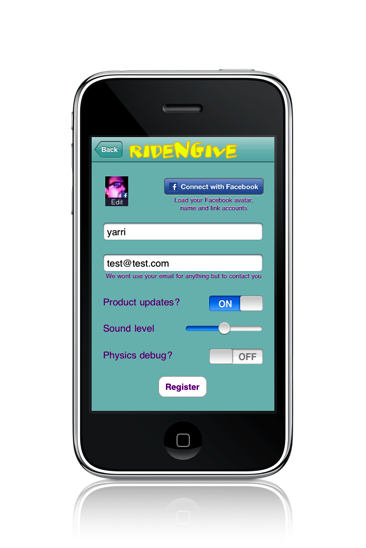
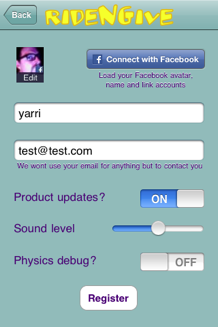
<p>The user experience on the iPhone app needed to be seamless. You can simply click on this “Connect with Facebook” button in the settings screen and log into Facebook to grab your photo:</p>

<p><span class="full-image-block ssNonEditable"><span><img src="http://www.playngive.com/storage/facebook1.png?__SQUARESPACE_CACHEVERSION=1271784384092" alt=""/></span></span></p>

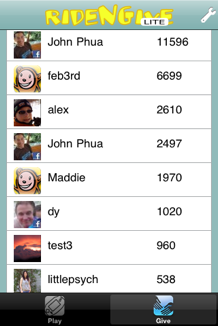
<p>Also, when showing the top scores of your Facebook friends we wanted this to be seamless:</p>

<p><span class="full-image-block ssNonEditable"><span><img src="http://www.playngive.com/storage/facebook2.png?__SQUARESPACE_CACHEVERSION=1271784404011" alt=""/></span></span></p>

<p>First, the system diagram. We need to use the iPhone app to register with Facebook Connect API to grab the user Facebook ID (fb_uid). With this, we can grab the Facebook user photo within the iPhone app. But to check the high scores of your Facebook friends, we needed to run a query on the Rails server to see which of your friends are also registered users of Play-N-Give. To do this, we needed to enable Facebook  Connect on Rails. This allows us to use the same XML based global leader board view mechanism described earlier – and should offer a better user experience given the slow response time of the Facebook API and the asynchronous XML parsing support in the iPhone app.</p>

<p>We need to register our app with Facebook to get the Facebook Connect API keys, and then we can make a request for the users Facebook photo by implementing the <FBSession Delegate> method in our UIViewController:</p>

<pre><code> 1.// FBSessionDelegate
 2. 
 3.- (void)session:(FBSession*)session didLogin:(FBUID)uid {
 4. //! Facebook session didLogin delegate, handle the login
 5.             
 6. fb_uid = [[NSString stringWithFormat:@"%lld", session.uid] retain];
 7.             
 8. NSString* fql = [NSString stringWithFormat:
 9.   @"select uid,name,pic_square_with_logo from user where uid == %lld"
 10.   , session.uid];
 11.             
 12. NSDictionary* params = [NSDictionary dictionaryWithObject:fql forKey:@"query"];
 13. [[FBRequest requestWithDelegate:self] call:@"facebook.fql.query" params:params];
 14.}
</code></pre>

<p>Line #3 is the FBSession delegate which is called after the user successfully logs into Facebook Connect. We make an SQL query to the Facebook Connect API in line #8 to obtain the users photo. Later, we parse the results of the query in a <FBSession Delegate> request: didLoad: method:</p>

<pre><code> 1.- (void)request:(FBRequest*)request didLoad:(id)result {
 2. //! Facebook session request didLoad delegate, parse the response
 3. NSArray* users = result;
 4. NSDictionary* user = [users objectAtIndex:0];
 5. NSString* pic = [user objectForKey:@"pic_square_with_logo"];
 6. NSData *receivedData = [NSData dataWithContentsOfURL:[NSURL URLWithString:pic]];
 7. image = [[UIImage alloc] initWithData:receivedData];  // Do something with the image
 8. [_session logout];
 9.}
</code></pre>

<p>When we’re ready to view the top scores of our Facebook friends we implement an <FBSession Delegate> session: didLogin: method to request the XML data from the Rails server:</p>

<pre><code> 1.- (void)session:(FBSession*)session didLogin:(FBUID)uid {
 2. //! Facebook session didLogin delegate, handle the login
 3.    stringWithFormat:@"%@/Facebook/%@.xml?fbsession=%@",feedURLString,customerID,session.sessionKey];
 4.    [NSThread detachNewThreadSelector:@selector(getCustomerFB:) toTarget:self withObject:url];
 5.}
</code></pre>

<p>Note that in line #26 we pass the Facebook sessionkey to the Rails server in order to authenticate the server side query.</p>

<p>This triggers a controller on the Rails server to poll the Facebook Connect API and generate a list of Friends, their photos and their scores. The resulting data is rendered in XML and parsed by the asynchronous XMLparser on the iPhone:</p>

<pre><code> 1.def fcbk(method, params={})
 2.  params.merge! :method =&gt; "facebook.#{method}", :v =&gt; "1.0", :call_id =&gt; Time.now.to_f.to_s, :api_key =&gt; API_KEY
 3.  params[:sig] = Digest::MD5.hexdigest(params.inject([]) { |args, pair| args &lt;&lt; pair.join('=') }.sort.join + API_SECRET)
 4.  result,data = Net::HTTP.post_form(URI.parse('http://api.facebook.com/restserver.php'), params)
 5.  return data
 6.end
 7. 
 8.  ##--- Method to display top 50 Facebook friend's scores
 9.  # GET /Facebook/1.xml
 10.  def Facebook
 11.    @scores = []
 12.    if !Customer.find(params[:id]).fb_uid.nil?
 13.     if !params[:fbsession].nil?
 14.      data = fcbk("fql.query", {:session_key =&gt; params[:fbsession], :query =&gt; "select uid2 from friend where uid1 = #{Customer.find(params[:id]).fb_uid}"})
 15.      doc = REXML::Document.new( data )
 16.      root = doc.root
 17.      if root.elements['error_code'].nil?
 18.       root.elements.each('friend_info/uid2') do |element|
 19.       data = fcbk("fql.query", :query =&gt; "select name,pic_square_with_logo,is_app_user from user where uid = #{element.text}")
 20.       doc = REXML::Document.new( data )
 21.       root = doc.root
 22.       cust = Customer.find(:first, :conditions =&gt; { :fb_uid =&gt; element.text })
 23.       @top50 = [{:name =&gt; root.elements['user/name'].text, :image =&gt; root.elements['user/pic_square_with_logo'].text, :points =&gt; totalPoints}]
 24.       @scores = @scores + @top50
 25.      end
 26.     else
 27.      @scores = [{:error_code =&gt; 1, :error =&gt; 'No uid, customer has not registered Facebook account'}]
 28.     end
 29.    respond_to do |format|
 30.      format.html # index.html.erb
 31.      format.xml  { render :xml =&gt; @scores.to_xml(:root=&gt;'customers', :child =&gt; 'customer') }
 32.    end
 33.  end
</code></pre>

<p>The tricky part is incorporating the Facebook photos of the users friends in the top scores list displayed on the iPhone rather than just listing names. The call to the Facebook API on line #32 only returns the URL of the Facebook photo, so we actually need to make an asynchronous call to load the image on the iPhone. We could have used the Rails server to send back a uuencoded image but it was actually easier to use the iPhone SDK [NSData dataWithContentsOfURL:] method!</p>

<p>We also need to ensure each user registers their Facebook ID (fb_uid) with Play-N-Give so that we can do the necessary lookup. We enforce this loosely by suggesting that if the user wants to use their Facebook photo they need to register with our server. Again, our Privacy Policy is clearly posted.</p>

<p>So that’s how we enabled Facebook integration within our iPhone app using Rails.</p>

<p>--yarri</p>
]]></content></entry><entry><title>iPhone Global Leaderboard using Ruby on Rails</title><category term="leaderboard"/><category term="rails"/><category term="ruby on rails"/><id>http://www.playngive.com/blog/2009/9/14/iphone-global-leaderboard-using-ruby-on-rails.html</id><link rel="alternate" type="text/html" href="http://www.playngive.com/blog/2009/9/14/iphone-global-leaderboard-using-ruby-on-rails.html"/><author><name>playngive</name></author><published>2009-09-14T17:11:00Z</published><updated>2009-09-14T17:11:00Z</updated><content type="html" xml:lang="en-US"><![CDATA[<p class="paragraph_style">There are a number of public API's for storing and displaying Global High Scores or a "Leader board" in iPhone games, including&nbsp;<a class="class1" title="http://www.cocoslive.net/" href="http://www.cocoslive.net/">CocosLive</a>,&nbsp;<a class="class2" title="http://www.openfeint.com/" href="http://www.openfeint.com/">OpenFeint</a>,&nbsp;<a class="class3" title="http://www.scoreloop.com/" href="http://www.scoreloop.com/">Scoreloop</a>,&nbsp;<a class="class4" title="http://www.unifycommunity.com/wiki/index.php?title=Server_Side_Highscores" href="http://www.unifycommunity.com/wiki/index.php?title=Server_Side_Highscores">Unify</a>,&nbsp;<a class="class5" title="http://developer.agon-online.com/" href="http://developer.agon-online.com/">AGON</a>&nbsp;and<a class="class6" title="http://www.z2live.com/" href="http://www.z2live.com/">Z2Live</a>&nbsp;among others. We investigated the pros and cons of using these systems, but while most are free and easy to set up, they don't allow for the type of customization we needed. We wanted a system that allows for both a global leader board server, but also generating a sharable web site for each user to either send as an email link as well as view as a web app on the iPhone. Since we wanted to leverage the user data in more dynamic ways ourselves, a Rails based app made sense. I'll describe our implementation below.</p>
<p class="paragraph_style">&nbsp;</p>
<p class="paragraph_style">The iPhone view, register the user within a settings screen. We used a modal dialog settings screen that was created using Interface Builder. The basic elements are a button to trigger a user registration session with the Rails server, and various UI elements to customize the user account including a name and user photo. Optionally, we allow the user to submit their email address and receive product information from us. And they can connect with Facebook to use their name and profile photo.</p>
<p class="paragraph_style">&nbsp;<span class="full-image-block ssNonEditable"><img src="http://www.playngive.com/storage/rails_leaderboard.png?__SQUARESPACE_CACHEVERSION=1271783928446" alt="" /></span></p>
<p class="paragraph_style">All of this information, including the photo is transmitted as an HTTP packet to the server via NSURLConnection synchronous PUT calls:</p>
<p class="paragraph_style">&nbsp;</p>
<p class="paragraph_style_1">&nbsp;</p>
<p class="paragraph_style_1"><strong>1.NSMutableURLRequest *req = [[NSMutableURLRequest alloc] initWithURL:url];</strong></p>
<p class="paragraph_style_1"><strong>2.[req setHTTPMethod:@"PUT"];</strong></p>
<p class="paragraph_style_1"><strong>3.[req setValue:@"application/x-www-form-urlencoded" forHTTPHeaderField:@"Content-Type"];</strong></p>
<p class="paragraph_style_1"><strong>4.&nbsp;</strong></p>
<p class="paragraph_style_1"><strong>5.// Get the image from userImageButton</strong></p>
<p class="paragraph_style_1"><strong>6.NSData *pngImageData = UIImagePNGRepresentation([userImageButton&nbsp; imageForState:UIControlStateNormal]);</strong></p>
<p class="paragraph_style_1"><strong>7.// Base64 encode the image data</strong></p>
<p class="paragraph_style_1"><strong>8.int len = pngImageData.length;</strong></p>
<p class="paragraph_style_1"><strong>9.char *pngImageDataBase64 = malloc(Base64encode_len(len));</strong></p>
<p class="paragraph_style_1"><strong>10.len = Base64encode(pngImageDataBase64,pngImageData.bytes,len);</strong></p>
<p class="paragraph_style_1"><strong>11.&nbsp;</strong></p>
<p class="paragraph_style_1"><strong>12.// Get the phone UDID</strong></p>
<p class="paragraph_style_1"><strong>13.NSString *phoneUDID = [[UIDevice currentDevice] uniqueIdentifier];</strong></p>
<p class="paragraph_style_1"><strong>14.&nbsp;</strong></p>
<p class="paragraph_style_1"><strong>15.NSString *params = [NSString stringWithFormat:@"name=%@&amp;email=%@&amp;send_updates=%@&amp;image=%s&amp;fb_uid=%@&amp;phone=%@",UserName.text,UserEmail.text,send_updates,pngImageDataBase64,fb_uid,phoneUDID];</strong></p>
<p class="paragraph_style_1"><strong>16.NSData *putParams = [params dataUsingEncoding:NSUTF8StringEncoding];</strong></p>
<p class="paragraph_style_1"><strong>17.[req setHTTPBody: putParams];&nbsp;&nbsp;&nbsp;&nbsp;&nbsp;&nbsp;&nbsp;&nbsp;&nbsp;&nbsp;&nbsp;&nbsp;&nbsp;</strong></p>
<p class="paragraph_style_1"><strong>18.&nbsp;</strong></p>
<p class="paragraph_style_1"><strong>19.NSData *responseData = [NSURLConnection sendSynchronousRequest:req</strong></p>
<p class="paragraph_style_1"><strong>20.returningResponse:&amp;urlResponse</strong></p>
<p class="paragraph_style_1"><strong>21.error:&amp;error];&nbsp;</strong></p>
<p class="paragraph_style">&nbsp;</p>
<p class="paragraph_style">The NSURLConnection reponse codes are parsed to respond to server errors, or register a server side user ID.</p>
<p class="paragraph_style">&nbsp;<span class="full-image-block ssNonEditable"><img src="http://www.playngive.com/storage/rails_leaderboard2.png?__SQUARESPACE_CACHEVERSION=1271783956337" alt="" /></span></p>
<p class="paragraph_style">The tricky part is certainly the base64 encoding of the user data, and the magic required to convert the image to a raw PNG data stream which can then be displayed on any website. We use calls to CGBitmapContextCreateImage() to create a 40x40 scaled image of the results from UIImagePickerController method. Scaling on the device was actually easier than scaling on the server, and allowed for faster response times.</p>
<p class="paragraph_style">&nbsp;</p>
<p class="paragraph_style">There is a similar NSURLConnection synchronous PUT call to post high scores.</p>
<p class="paragraph_style">&nbsp;</p>
<p class="paragraph_style">Next, we wanted a way to display global high scores on the iPhone as well as personal best, or something we call &ldquo;highest contributors&rdquo; which is list of users who have taken their high scores and allocated them to different charities. While for the light weight registration process made sense to use NSURLConnection, the server response times for calculating these rankings might be slow enough to justify an asynchronous approach. We used calls to an NSXMLParser object, controlled by threads via [NSThread detachNewThreadSelector:] methods with a callback function to display the XML data asynchronously as it&rsquo;s received and parsed.</p>
<p class="paragraph_style_2">&nbsp;</p>
<p class="paragraph_style_1"><span style="font-size: 80%;"><strong>1.[NSThread detachNewThreadSelector:@selector(getUserData:) toTarget:self withObject:url];</strong></span></p>
<p class="paragraph_style_1"><span style="font-size: 80%;"><strong>2.&nbsp;</strong></span></p>
<p class="paragraph_style_1"><span style="font-size: 80%;"><strong>3.- (void)getUserData:(NSNotification *)notification</strong></span></p>
<p class="paragraph_style_1"><span style="font-size: 80%;"><strong>4.{</strong></span></p>
<p class="paragraph_style_1"><span style="font-size: 80%;"><strong>5.&nbsp;&nbsp;&nbsp; XMLReader *streamingParser = [[XMLReader alloc] init];</strong></span></p>
<p class="paragraph_style_1"><span style="font-size: 80%;"><strong>6.&nbsp;&nbsp;&nbsp; [streamingParser parseXMLFileAtURL:[NSURL URLWithString:(NSString *)notification] parseError:&amp;parseError];</strong></span></p>
<p class="paragraph_style_1"><span style="font-size: 80%;"><strong>7.}</strong></span></p>
<p class="paragraph_style_1"><span style="font-size: 80%;"><strong>8.&nbsp;</strong></span></p>
<p class="paragraph_style_1"><span style="font-size: 80%;"><strong>9.- (void)parser:(NSXMLParser *)parser didStartElement:(NSString *)elementName namespaceURI:(NSString *)namespaceURI qualifiedName:(NSString *)qName attributes:(NSDictionary *)attributeDict</strong></span></p>
<p class="paragraph_style_1"><span style="font-size: 80%;"><strong>10.{</strong></span></p>
<p class="paragraph_style_1"><span style="font-size: 80%;"><strong>11.&nbsp;&nbsp;&nbsp;&nbsp;&nbsp;&nbsp;&nbsp; // An entry in the RSS feed represents an score, so create an instance of it.</strong></span></p>
<p class="paragraph_style_1"><span style="font-size: 80%;"><strong>12.&nbsp;&nbsp;&nbsp;&nbsp;&nbsp;&nbsp;&nbsp; self.currentCustomerObject = [[Customer alloc] init];</strong></span></p>
<p class="paragraph_style_1"><span style="font-size: 80%;"><strong>13.&nbsp;&nbsp;&nbsp;&nbsp;&nbsp;&nbsp;&nbsp;&nbsp;&nbsp;&nbsp;&nbsp;&nbsp;&nbsp; &nbsp;&nbsp;&nbsp;&nbsp;&nbsp;&nbsp;&nbsp;&nbsp;&nbsp;&nbsp;&nbsp;&nbsp;&nbsp; [self.currentCustomerObject SetCustomerType:kCustomerTypeTop50];</strong></span></p>
<p class="paragraph_style_1"><span style="font-size: 80%;"><strong>14.&nbsp;&nbsp;&nbsp;&nbsp;&nbsp;&nbsp;&nbsp; NSDictionary* params = [NSDictionary dictionaryWithObject:self.currentCustomerObject forKey:@"cust"];</strong></span></p>
<p class="paragraph_style_1"><span style="font-size: 80%;"><strong>15.&nbsp;&nbsp;&nbsp;&nbsp;&nbsp;&nbsp;&nbsp;&nbsp;&nbsp;&nbsp;&nbsp;&nbsp;&nbsp; &nbsp;&nbsp;&nbsp;&nbsp;&nbsp;&nbsp;&nbsp;&nbsp;&nbsp;&nbsp;&nbsp;&nbsp;&nbsp; [[NSNotificationCenter defaultCenter] postNotificationName:@"AddNewCustomer" object:self userInfo:params];</strong></span></p>
<p class="paragraph_style_1"><span style="font-size: 80%;"><strong>16.}</strong></span></p>
<p class="paragraph_style_1"><span style="font-size: 80%;"><strong>17.&nbsp;</strong></span></p>
<p class="paragraph_style_1"><span style="font-size: 80%;"><strong>18.- (void)addToCustomerList:(NSNotification *)notification</strong></span></p>
<p class="paragraph_style_1"><span style="font-size: 80%;"><strong>19.{</strong></span></p>
<p class="paragraph_style_1"><span style="font-size: 80%;"><strong>20.&nbsp;&nbsp;&nbsp;&nbsp;&nbsp;&nbsp;&nbsp;&nbsp;&nbsp;&nbsp;&nbsp;&nbsp;&nbsp; Customer *newCustomer = [[notification userInfo] objectForKey:@"cust"];&nbsp;&nbsp;&nbsp;&nbsp;&nbsp;&nbsp;&nbsp;&nbsp;&nbsp;&nbsp;&nbsp;&nbsp;&nbsp; &nbsp;&nbsp;&nbsp;&nbsp;&nbsp;&nbsp;&nbsp;&nbsp;&nbsp;&nbsp;&nbsp;&nbsp;&nbsp; &nbsp;&nbsp;&nbsp;&nbsp;&nbsp;&nbsp;&nbsp;&nbsp;&nbsp;&nbsp;&nbsp;&nbsp;&nbsp; [self.listTop50 addObject:newCustomer];</strong></span></p>
<p class="paragraph_style_1"><span style="font-size: 80%;"><strong>21.&nbsp;&nbsp;&nbsp;&nbsp;&nbsp;&nbsp; [table reloadData];</strong></span></p>
<p class="paragraph_style_1"><span style="font-size: 80%;"><strong>22.}</strong></span></p>
<p class="paragraph_style_1"><span style="font-size: 80%;"><strong>23.&nbsp;</strong></span></p>
<p class="paragraph_style">&nbsp;</p>
<p class="paragraph_style">A thread is used to launch the getUserData: method with an URL to our Rails app XML server. This in turn launches the streaming parser which is an XMLReader object. Within this object, a parser: method creates a record for each top score record (Customer object) and a notification is sent back to the UITableView controller to add a new object to the list via the addToCustomerList: method.</p>
<p class="paragraph_style">&nbsp;</p>
<p class="paragraph_style">Now, on the Rails server, this customer registration and high scores XML server is handled with standard CRUD techniques and standard render functions. We created a Customer controller which contains both the creation logic and the display logic.</p>
<p class="paragraph_style">&nbsp;</p>
<p class="paragraph_style_3">&nbsp;</p>
<p class="paragraph_style">The creation logic takes the NSURLConnection synchronous PUT call to create a new Customer record based on the parameters sent from the iPhone. The only tricky part was the encoding of the base64 for image because we used URL encoding we then have to decode this in Rails using the calls to unescape() and translate (theImage.tr(&lsquo; &lsquo;,&rsquo;+&rsquo;) which does the trick. Note that doing this allows us to render the images as embedded HTML code via &lt;img&gt;. We could have instead saved the images as binary data on the server but this way we have simpler rendering code, and the images can be stored in the Rails database for better portability and backup, etc.</p>
<p class="paragraph_style">&nbsp;</p>
<p class="paragraph_style">The XML generation logic is extremely simple in Rails, this call does it all:</p>
<p class="paragraph_style">&nbsp;</p>
<p class="paragraph_style_3"><span style="font-size: 90%;"><strong>&nbsp;</strong></span><span style="font-size: 90%;"><strong>1.&nbsp; # GET /TopScores.xml</strong></span><span style="font-size: 90%;"><strong><br /></strong></span></p>
<p class="paragraph_style_3"><span style="font-size: 90%;"><strong>2.&nbsp; def TopScores</strong></span><span style="font-size: 90%;"><strong><br /></strong></span></p>
<p class="paragraph_style_3"><span style="font-size: 90%;"><strong>3.&nbsp;&nbsp;&nbsp; @customers = Customer.find(:all)</strong></span><span style="font-size: 90%;"><strong><br /></strong></span></p>
<p class="paragraph_style_3"><span style="font-size: 90%;"><strong>4.&nbsp;&nbsp;&nbsp;&nbsp;&nbsp;&nbsp;&nbsp;&nbsp;&nbsp;&nbsp;&nbsp;&nbsp;&nbsp; @d = Donation.sum(:donated_points, :group =&gt; :customer_id, :limit =&gt; 50).sort{|a,b| b[1] &lt;=&gt; a[1]}</strong></span><span style="font-size: 90%;"><strong><br /></strong></span></p>
<p class="paragraph_style_3"><span style="font-size: 90%;"><strong>5.&nbsp;&nbsp;&nbsp;&nbsp;&nbsp;&nbsp;&nbsp;&nbsp;&nbsp;&nbsp;&nbsp;&nbsp;&nbsp; @scores = []</strong></span><span style="font-size: 90%;"><strong><br /></strong></span></p>
<p class="paragraph_style_3"><span style="font-size: 90%;"><strong>6.&nbsp;&nbsp;&nbsp;&nbsp;&nbsp;&nbsp;&nbsp;&nbsp;&nbsp;&nbsp;&nbsp;&nbsp;&nbsp; @d.each do |c|</strong></span><span style="font-size: 90%;"><strong><br /></strong></span></p>
<p class="paragraph_style_3"><span style="font-size: 90%;"><strong>7.&nbsp;&nbsp;&nbsp;&nbsp;&nbsp;&nbsp;&nbsp;&nbsp;&nbsp;&nbsp;&nbsp;&nbsp;&nbsp; &nbsp;&nbsp;&nbsp;&nbsp;&nbsp;&nbsp;&nbsp;&nbsp;&nbsp;&nbsp;&nbsp;&nbsp;&nbsp; @top50 = [{:name =&gt; Customer.find(c[0]).name, :image =&gt; Customer.find(c[0]).image, :points =&gt; c[1]}]</strong></span><span style="font-size: 90%;"><strong><br /></strong></span></p>
<p class="paragraph_style_3"><span style="font-size: 90%;"><strong>8.&nbsp;&nbsp;&nbsp;&nbsp;&nbsp;&nbsp;&nbsp;&nbsp;&nbsp;&nbsp;&nbsp;&nbsp;&nbsp; &nbsp;&nbsp;&nbsp;&nbsp;&nbsp;&nbsp;&nbsp;&nbsp;&nbsp;&nbsp;&nbsp;&nbsp;&nbsp; @scores = @scores + @top50</strong></span><span style="font-size: 90%;"><strong><br /></strong></span></p>
<p class="paragraph_style_3"><span style="font-size: 90%;"><strong>9.&nbsp;&nbsp;&nbsp;&nbsp;&nbsp;&nbsp;&nbsp;&nbsp;&nbsp;&nbsp;&nbsp;&nbsp;&nbsp; end</strong></span><span style="font-size: 90%;"><strong><br /></strong></span></p>
<p class="paragraph_style_3"><span style="font-size: 90%;"><strong>10.&nbsp;&nbsp;&nbsp; respond_to do |format|</strong></span><span style="font-size: 90%;"><strong><br /></strong></span></p>
<p class="paragraph_style_3"><span style="font-size: 90%;"><strong>11.&nbsp;&nbsp;&nbsp;&nbsp;&nbsp; format.html # index.html.erb</strong></span><span style="font-size: 90%;"><strong><br /></strong></span></p>
<p class="paragraph_style_3"><span style="font-size: 90%;"><strong>12.&nbsp;&nbsp;&nbsp;&nbsp;&nbsp; format.xml&nbsp; { render :xml =&gt; @scores.to_xml(:root=&gt;'customers', :child =&gt; 'customer') }</strong></span><span style="font-size: 90%;"><strong><br /></strong></span></p>
<p class="paragraph_style_3"><span style="font-size: 90%;"><strong>13.&nbsp;&nbsp;&nbsp; end</strong></span><span style="font-size: 90%;"><strong><br /></strong></span></p>
<p class="paragraph_style_3"><span style="font-size: 90%;"><strong>14.&nbsp; end</strong></span><span style="font-size: 90%;"><strong><br /></strong></span></p>
<p class="paragraph_style"><span class="style_3">&nbsp;<br /></span></p>
<p class="paragraph_style">First we build up a list of the highest 50 scores, we parse the customer data for the total &ldquo;donated_points&rdquo; per customer, and then sort. We sending this list to the native Rails XML render function. The only tricky part is setting the :root and :child correctly so that the iPhone XMLReader can correctly parse the XML stream from Rails.</p>
<p class="paragraph_style">&nbsp;</p>
<p class="paragraph_style">--yarri</p>
<p class="paragraph_style">&nbsp;</p>
<p class="paragraph_style">Note: there is an excellent description of using the<a class="class7" title="http://iphoneonrails.com/" href="http://iphoneonrails.com/">ObjectiveResrource</a>&nbsp;class for the iPhone in the APRESS book "iPhone Games Project"&nbsp;<a title="http://www.scribd.com/doc/17395240/iPhone-Games-Projects" href="http://www.scribd.com/doc/17395240/iPhone-Games-Projects">here</a>.</p>]]></content></entry></feed>